
RVD.AI · Version 2.15.0
Match, fill in and grade by objective.
Two new activity types, grading that goes through the class objective by objective, your AI week in view, and a free trial for independent teachers.
WHAT'S INCLUDED
The changes in this update.
Activity types
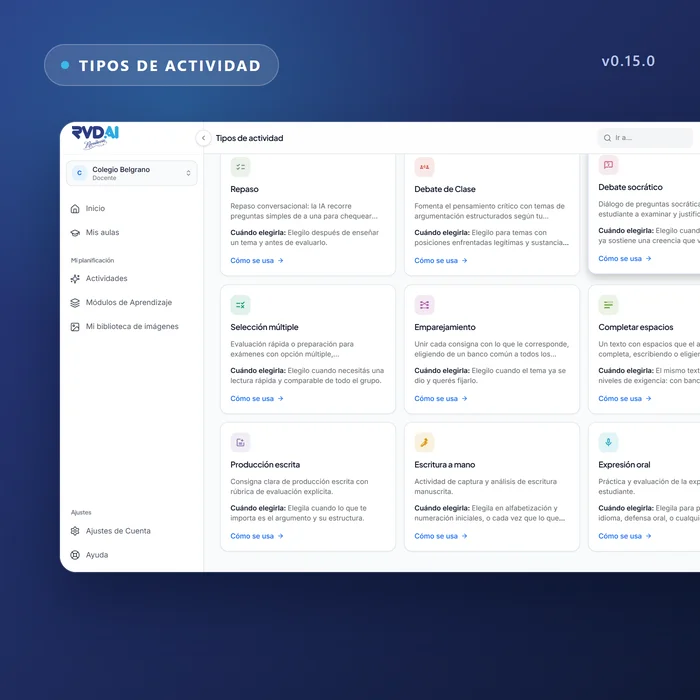
Matching and Fill in the blanks
Two new types that grade themselves, with a summary of each attempt in plain view.
Matching: pair each item with the one it belongs to, choosing from a shared bank; the student plays the board face up or face down. Fill in the blanks: a text with gaps the student completes by typing or by choosing from the bank; while building it, taking out a word writes the row that answers it. The attempt survives a reload and the teacher reads it in a view of its own.
Grading
Grading is a pass through each objective
You choose the rubric level and the score follows. The student's work appears in the same row where you grade, and an absence is recorded as an absence. The dashboard also shows who never opened the activity.
AI usage
Your AI week, somewhere you can sit down and read it
AI usage moves out of the menu onto a screen of its own: creation, classroom work and images, over the last seven days. The school can split the week among its teachers and give one of them more; the cap is flagged before it is reached, and a student never sees that message.
Sign-in
Try RVD.AI without a school, with a code to unlock
A teacher who arrives without an invitation has two paths: join their school, or try the platform in a space of their own with measured caps. An activation code unlocks the full plan.
My classrooms
Groups within the classroom
A teacher can answer for one group in the classroom without having to cover the whole room. The groups tab holds up in a classroom of fifty, and while building a group you can see who is already in another.
My classrooms
The classroom link travels with the code
Next to the live class code there is a link to copy and share. The assignment dashboard asks whether the class is in progress and shows the due date.
Account settings
From student to teacher, in settings
Anyone old enough can open their own teacher space from a settings section that only appears for those who look for it.