School dashboard
How each class is progressing and which classrooms need attention, in one dashboard.
FOR SCHOOLS
Each teacher sets the purpose of their activities, Berni follows it with every student, and the leadership team sees how each class is progressing.

HOW A SCHOOL USES IT
The leadership team uploads the school's mission documents, organizes the roster, and shares Berni's use among its teachers.
Each teacher creates activities with their own objectives and assigns them to their classes. Berni works with every student within that framework.
Each teacher gets an alert when a student's conversation shows they need attention, and supports the students who really need it.
The leadership team follows each class's progress and the school's competencies, with evidence a teacher wrote or confirmed.
ON VIDEO
THE SCHOOL-WIDE VIEW
The leadership team sees the whole school and the evidence from each classroom; each teacher works in their own.
How each class is progressing and which classrooms need attention, in one dashboard.
How each competency is progressing, now or month by month, based on evidence a teacher wrote or confirmed.
What was achieved on each objective, with a classroom summary, to decide what comes next.
Divisions, students, and teachers in a single roster, with the year pass that moves everyone up at the end of the school year.
The school connects it once and chooses which classes to bring in. Every sync shows what changed.
The modules your teachers publish become available for use in other classrooms.
THE SCHOOL'S CRITERIA
The leadership team sets the school's pedagogical framework, the competencies progress is measured against, and how much Berni, the educational assistant, is used. Each teacher works within that framework with their own objectives.
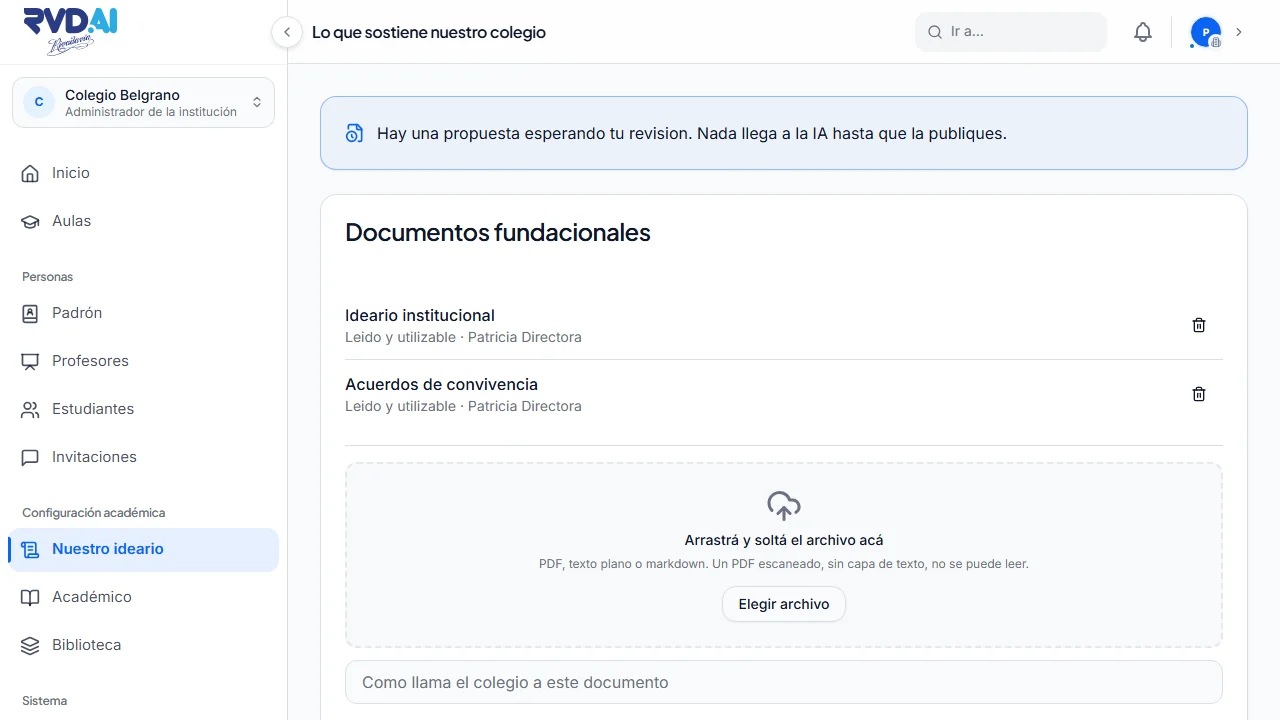
The school uploads its documents, approves a summary, and Berni works within that framework.
The school adds its own competencies to the base frameworks and measures its students' progress with them.
Each student reads the level of their work in the words the school already uses in class, in primary and secondary.
A shared weekly allowance for working with Berni, which the school divides among its teachers. If it runs out, no new assignments can be given and anyone midway through an activity can finish it.
PEDAGOGICAL BACKING
For three years we have worked side by side in real classrooms with leading schools, experiencing the daily challenges of teaching first-hand. RVD.AI Classroom was born inside the school itself, designed by educators who know what classrooms need, and supports teachers with a method that puts each student's critical thinking at the center.
The company that develops RVD.AI, with more than 150 years of experience in education.
Side by side with leading schools, their teachers, and their students.
Based on the EduMAIA method, which follows research from Stanford, Harvard's Project Zero, and MIT.
Educators decide how Berni works and how activities are built.
2026 Sadosky Awards finalist in Innovation in Talent Development, together with the EduMAIA method.
Learn about the EduMAIA method ↗ACCESSIBILITY AND INCLUSION
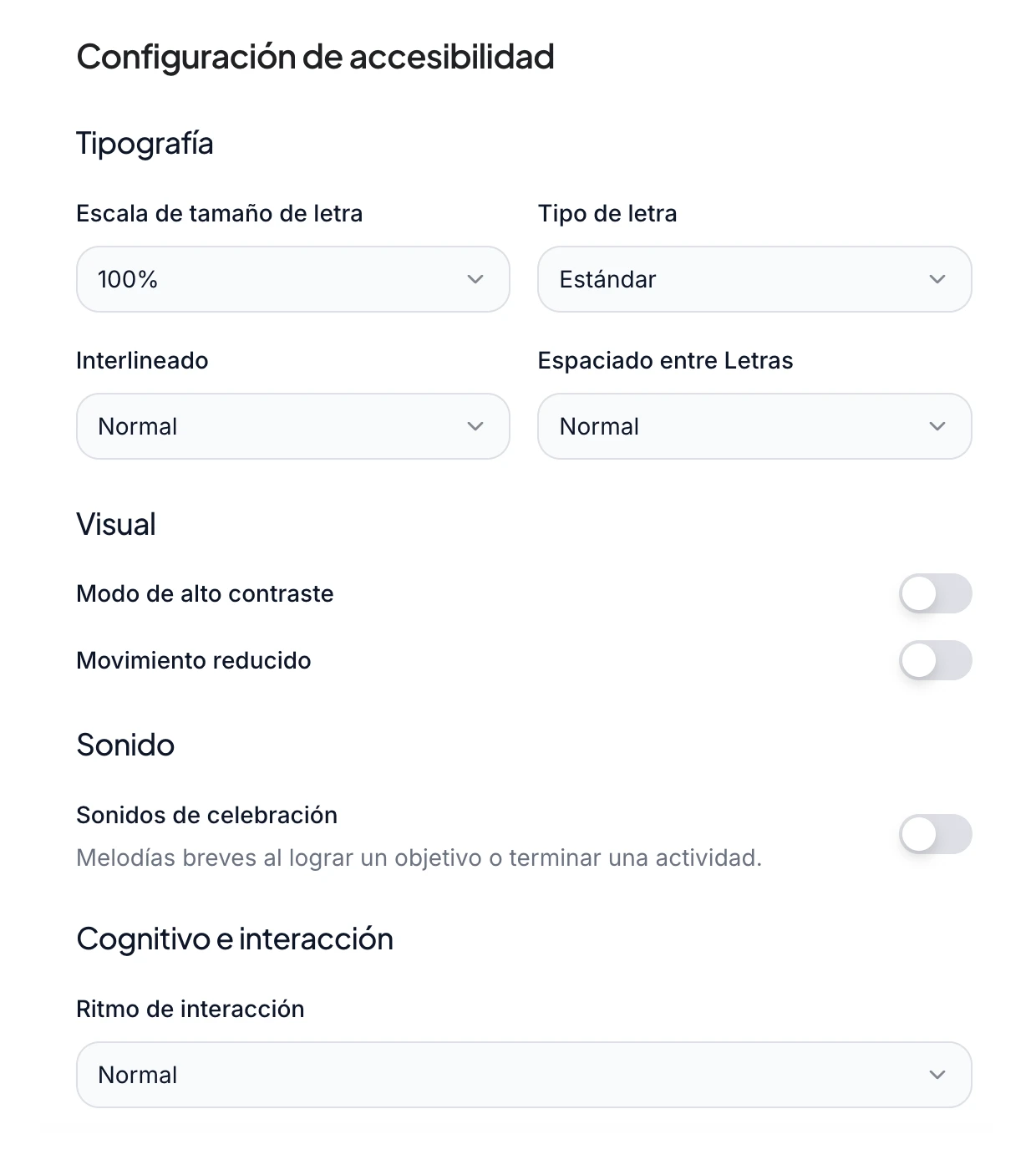
Preferences stay with each student's account and apply to all their activities, so the whole class takes part in the same lesson. That way the same activity also reaches students who are just starting to read.
ROLLOUT
You fill out the form, and the team contacts you to agree on the implementation.
Fill in the request →The school accepts the terms of use, and its first administrator gets access.
Read the terms of use →You add levels, grades, and divisions; subjects are filled in from the official list.
You add students from a file, a list, or Google Classroom, and invite your teachers.
Each classroom's history from the previous platform stays available to look up, and an earlier classroom can be brought over with its members.
STUDENT DATA
Activity takes place inside the RVD.AI Classroom environment. Information is used to provide the educational service and to show progress to authorized people. The AI never receives the student's name, last name, email, or any identifier.
Read the current policy →WHAT SCHOOLS ARE SAYING
With RVD.AI, we plan and monitor classes in less than half the time, and students participate more.
Fundación María de Guadalupe has already started using it in the classroom.
See case studies and testimonials →SCHOOLS
Schools and institutions listed by RVD.AI.






FREE THROUGHOUT 2026
The whole 2026 school year (March to December) at no cost, with support to get started.